


The BB56 login portal is the primary gateway protecting your active wallet balance, promotional rollovers, and verified identity records. In the Philippine digital gaming space, over 90% of account compromises stem from deceptive phishing mirrors—counterfeit login pages that mimic BB56’s visual layout to intercept player credentials.
This official security manual details our pre-login authentication checklist, two-factor authentication (2FA) protocols across Philippine mobile networks, automated account lockout safeguards, biometric app sign-ins, and step-by-step self-service password recovery.
Quick Facts: BB56 Authentication & Security Snapshot
| Security Parameter | Official Protocol Specification |
| Official Login URL | bb56.org.ph/login/ |
| Accepted Login Credentials | Registered Username OR Registered Philippine Mobile Number (09XX / +639XX) |
| Encryption Standard | 256-Bit SSL / Transport Layer Security (TLS 1.3) |
| Two-Factor Authentication (2FA) | Automated SMS OTP delivered to registered SIM (Globe, Smart, DITO) |
| Temporary Lockout Threshold | Five (5) consecutive failed password attempts |
| Automated Lockout Cooldown | 15 Minutes (Automatic self-release) |
| Biometric Sign-In | Supported via Face ID & Touch ID on the official BB56 Mobile App |
| Support Assistance | 24/7 Live Desk in Tambo, Parañaque City via [email protected] |
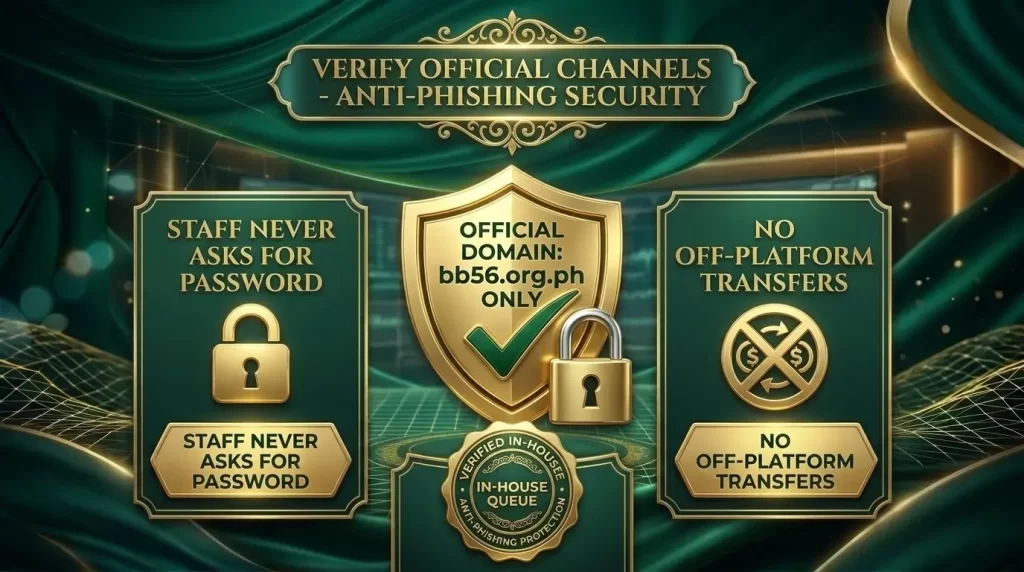
The Pre-Login Security Check: Verifying the Authentic Domain
Before entering your username and password, execute these three rapid verification steps:
- Verify the Domain Name: The address bar must read exactly bb56.org.ph. Look for the dot before org and before ph.
- Dangerous Phishing Variants: Domains such as bb56-ph.com, bb56login.vip, bb56philippines.net, or free subdomains (.tk, .xyz) are unauthorized third-party clones designed for credential harvesting.
- Inspect the SSL Padlock: Tap the padlock icon next to the URL. The certificate must confirm that the connection is encrypted and issued directly to BB56 operations.
- Avoid Sponsored Search Ad Links: Deceptive clones frequently purchase top-placement Google and Facebook search ads. Always enter your login via your browser bookmarks or by typing bb56.org.ph directly into your browser navigation bar.
Step-by-Step Sign-In Workflow
The BB56 authentication interface requires two sequential verification factors to safeguard your account against unauthorized logins:
- Navigate to the Portal: Open bb56.org.ph/login/.
- Input Identifier: Enter your registered Username or your active Philippine Mobile Number (e.g., 0917XXXXXXX).
- Enter Password: Type your confidential alphanumeric password.
- Trigger SMS OTP: Click “Sign In”. A 6-digit one-time authentication pin is instantly dispatched to your registered phone.
- Complete Two-Factor Verification: Enter the 6-digit code on screen within 60 seconds. Once validated, your session is securely established.
Troubleshooting SMS OTP Delays Across Local Networks
The SMS verification code is transmitted automatically via local telecom gateways across Globe, Smart, DITO, TM, and TNT:
- Wait for the 60-Second Cooldown: Telecommunication traffic during peak hours can cause transient delays. Allow the full 60-second timer to expire before requesting a new code.
- Avoid Multi-Tapping Resend: Requesting a second code immediately invalidates the first code. If multiple codes arrive, always enter the most recent pin.
- Check Device Spam Filters: Certain smartphone security applications automatically divert automated business SMS messages into a “Spam and Blocked” folder. Check this tab if the SMS does not trigger an audible alert.
- Emergency Assistance: If no OTP arrives after three consecutive attempts, open 24/7 Live Chat; a support specialist can verify your identity and check if your carrier is experiencing network outages.
Automated Account Lockout Triggers & Resolution Matrix
BB56 employs automated security tripwires that temporarily restrict account access to neutralize brute-force credential stuffing:
| Lockout Trigger | Security Rationalization | Automated Cooldown Period | Immediate Unlock Procedure |
| 5 Incorrect Password Attempts | Protects against automated password guessing bots. | 15 Minutes | Wait 15 minutes for automated timer release, or reset password via OTP. |
| 3 Expired / Failed OTP Entries | Prevents unauthorized SIM access exploitation. | 15 Minutes | Re-verify your phone signal and request a single fresh OTP. |
| Sign-In from High-Risk IP / VPN | Flags sudden foreign or blacklisted IP logins. | Held until verified | Connect through standard local Philippine ISP (PLDT, Converge, Globe). |
| Immediate Payout Post-Password Reset | Protects balances following unauthorized resets. | Held for compliance review | Contact 24/7 Live Support to complete identity validation. |
Self-Service Password Recovery (Without Loss of Data)
If you forget your password, you can reset your credentials independently without opening a formal support ticket:
- Click the “Forgot Password?” link situated directly beneath the main login button.
- Enter your registered Username or your primary Philippine mobile number.
- Input the 6-digit password reset pin delivered via SMS.
- Establish a new, strong password.
- Log in immediately. Your real-money balance, promotional turnover progress, and transaction histories remain 100% intact.
Recognizing Phishing Clones & Social Engineering Scams
Scammers utilize psychological manipulation to bypass technological barriers. Remember these two unbreakable rules:
- Rule 1: BB56 Staff Will NEVER Ask for Your Password. No support agent, live chat representative, or supervisor has the technical authority to request your password. Anyone asking for your password via Facebook, Viber, Telegram, or email is an impostor.
- Rule 2: Never Read an Unsolicited OTP to an Inbound Caller. If an SMS login pin arrives on your phone while you are not actively logging in, someone else is attempting to access your account. Immediately contact support to initiate an emergency security freeze.
Fast Biometric Login on the BB56 Mobile App
For mobile players, the official BB56 Android and iOS Application eliminates the friction of manual password entry while elevating account protection:
- Biometric Authentication: The BB56 app integrates natively with your smartphone’s Fingerprint Scanner (Touch ID) and Facial Recognition (Face ID).
- Protection in Public Spaces: Biometrics prevent “shoulder surfing” (strangers observing you type your credentials on public transport or in commercial venues).
- Automatic Session Lock: If the app is minimized or your phone screen locks, biometric re-authentication is required immediately upon reopening.
Frequently Asked Questions (FAQ)
Can I stay permanently logged in on my browser?
No. For player security and fund safety, sessions automatically expire following 30 minutes of inactivity. Permanent login states are intentionally disabled to prevent unauthorized account access on shared or stolen devices.
Can customer support reset or view my existing password?
No. All player passwords are cryptographically hashed and salted using industry-standard AES encryption. Support personnel can only trigger an automated self-service reset pin to your registered mobile number; they can never view your password in plain text.
What should I do if my registered phone is lost or stolen?
Contact our 24/7 Emergency Support Hotline at +63 824 756 2355 or open Live Chat immediately from a secondary device. Our compliance desk in Tambo, Parañaque will freeze your wallet balance until you provide valid government ID to bind a new mobile number.
Can I use the same login credentials on the mobile app and website?
Yes. BB56 operates a unified account architecture. The exact same username and password grant access across the desktop website, mobile browser portal, and the official mobile application.